13/1/2026
-
4
min
Barbara 3.2.0 is here full of brand new features to make your life easier. A new dashboard, a new map, alerts and notifications and much more. Let's explore what it brings!
Barbara 3.2.0 is here full of brand new features to make your life easier. A new dashboard, a new map, alerts and notifications and much more. Let's explore what it brings!


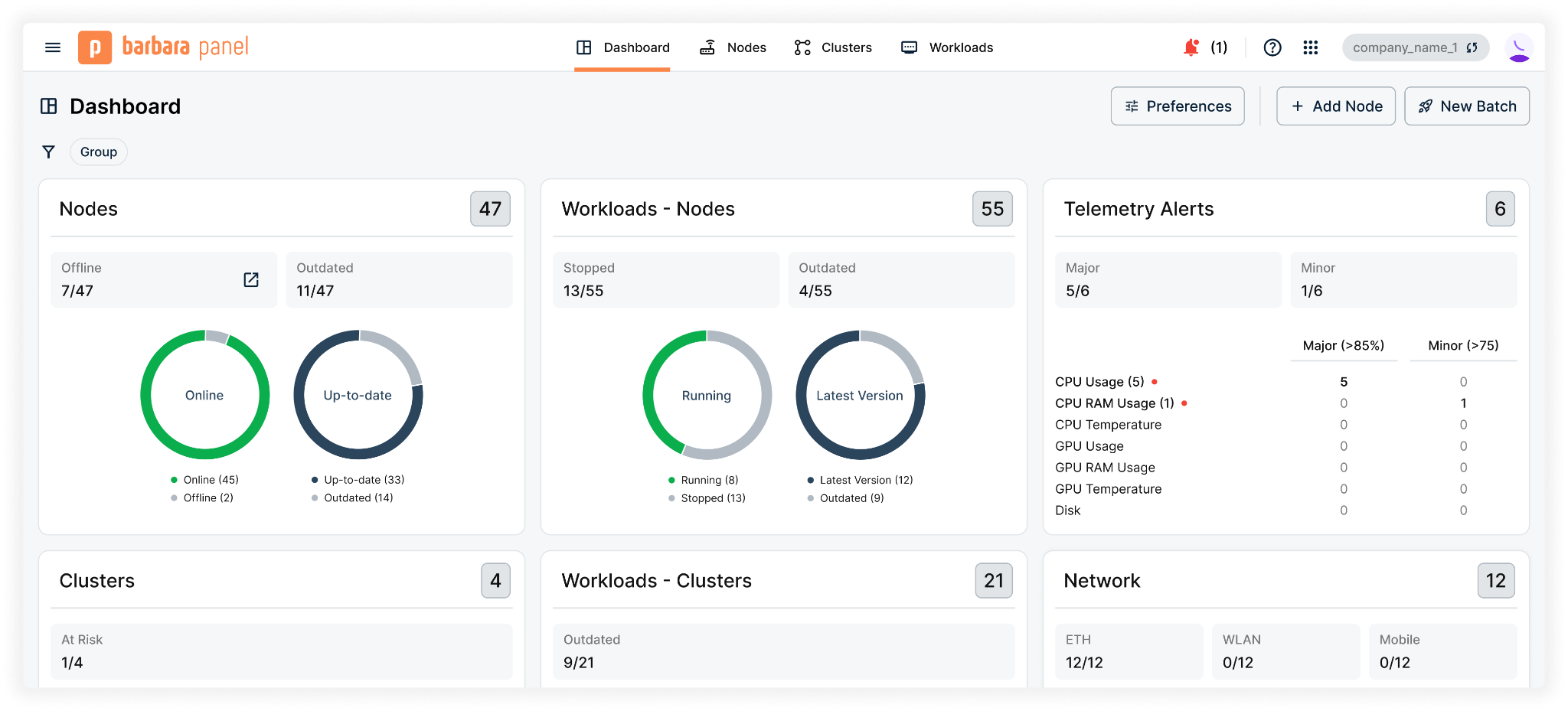
All your deployments are finally in one place. No more changing views to figure out what’s going on. From a single spot, you can now monitor the status of every node, cluster, and workload.
Check at a glance which nodes are online and which are offline, who needs a firmware update, and which workloads are actually doing their jobs. We’ve made it dead simple to spot the "red flags"—out-of-range temperatures, hungry CPUs, or disks that are nearing their limit. This is the "big picture" view you’ve been asking for.
And when you need more detail, you can navigate directly to the relevant views, with the full power of our new filtering capabilities.
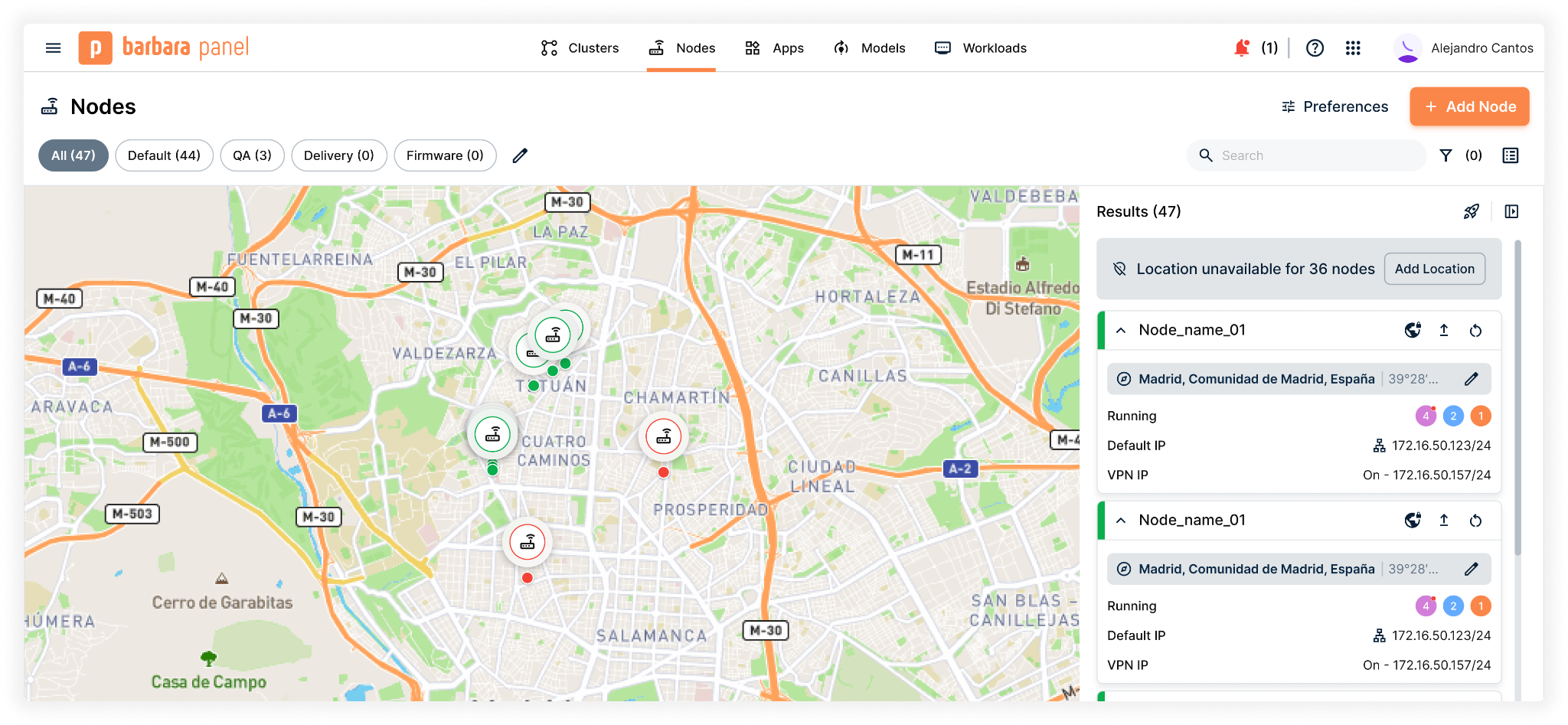
A map view with all the power Barbara deserves is finally here. The new Map View lets you zoom in and out across your deployments, filter them using our new filtering capabilities, and get a quick summary of each node.
Just like the list view, you can jump straight into Node Details or trigger batch actions on a group of nodes without leaving the map.
Pro tip: The map only shows nodes with configured GPS coordinates. If you haven’t configured them yet, now is the perfect time to do it!
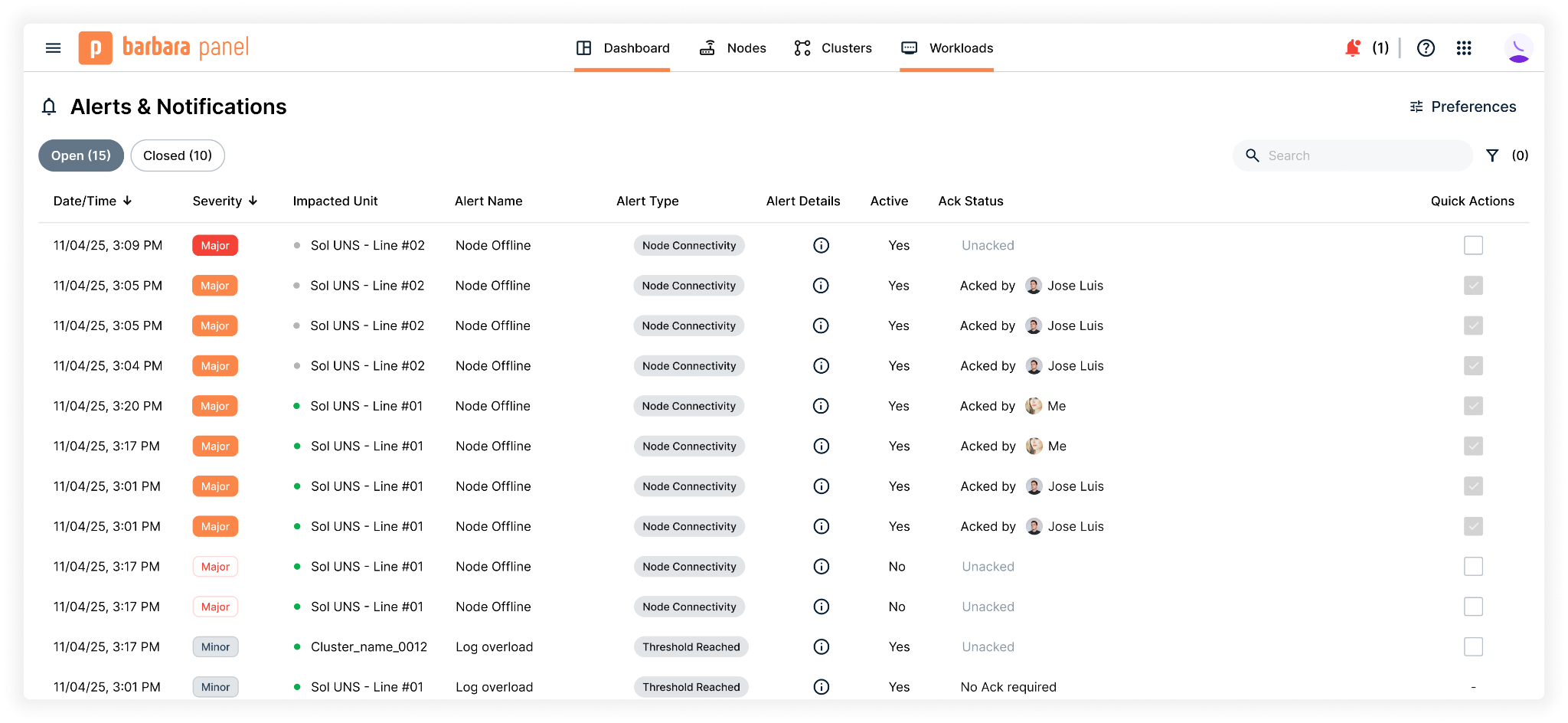
Right after the Dashboard, this was your most-requested feature: an alerts and notifications system designed to keep you informed no matter where you are in the platform.
Now you can see real-time alerts in the Node Details view or head to the system-wide list for the full story. Alerts can be filtered by status (open or closed, active or inactive, acknowledged or pending) using—you guessed it—our new filtering capabilities!
And to ensure you never miss anything, we’ve also introduced an always-visible widget in the top bar that notifies you whenever an alert requires your attention.
Tired of looking up a node’s IP address, figuring out the right port, and pasting everything into a new browser tab just to access Grafana, InfluxDB, Node-RED, or Ignition? We were too. It was annoying. So we fixed it.
From now on, all Marketplace applications include a direct access button that opens their management interface with a single click.
No copying. No pasting. No hassle.
As organizations grow, things get messy. To help you keep your sanity, we’ve introduced access permissions for groups. You can now assign specific access permissions to specific groups of nodes.
Need even more hierarchy? You can now organize nodes across multiple companies. The new multi-company users can belong to more than one company and switch between them effortlessly.
And here they are: our new filtering capabilities. It took several iterations, but we think we found the right way to bring powerful and consistent filters to all our main lists.
All filters are now permanently visible—no more digging through side panels or scrolling through endless options. You’ll always know exactly what you’re looking at, and you can reset everything with a single click. Also, we kept the search bar exactly where you’d expect it.
We’re kind of proud of this one. Give them a try and let us know what you think!
You can now start using Barbara immediately. No need to wait for a trial account to be manually approved. No need to talk to salespeople (unless you really want to).
We know you’d rather explore and test things at your own pace, without going through lengthy demos or complex sales processes. To prove it, we’re introducing a free forever license that includes every single feature. It’s limited to only one node (nothing’s perfect), but it lets you test the platform for as long as you need, until you love it. And if you don’t? That’s okay—we can still be friends.
We’ve been working on many additional enhancements across the platform. You’ll notice that the top menu has been replaced by a sidebar, giving you constant access to all main sections, telemetry is more detailed, and the workloads list has been updated to include both node-level and cluster-level workloads.
You can now trigger batch actions by selecting nodes through queries, as well as execute forced commands for specific operations. We’ve also improved several views—including Nodes, Library, and Changelog—fixed multiple bugs, and introduced various performance improvements.
But enough reading. Go try it for yourself!
Barbara 3.4.0 is here. Configuration is more precise, batches are more transparent, alerts are more personal, and every config finally has a home. Let’s dive into the key highlights.
Barbara 3.3.0 is here! Updates are simpler, deployments are more flexible, network management is more autonomous, and security is stronger than ever. Let’s dive into the key highlights.
Barbara 3.2.0 is here full of brand new features to make your life easier. A new dashboard, a new map, alerts and notifications and much more. Let's explore what it brings!


