30/9/2026
-
3
min
Barbara 3.4.0 is here. Configuration is more precise, batches are more transparent, alerts are more personal, and every config finally has a home. Let’s dive into the key highlights.
Barbara 3.4.0 is here. Configuration is more precise, batches are more transparent, alerts are more personal, and every config finally has a home. Let’s dive into the key highlights.


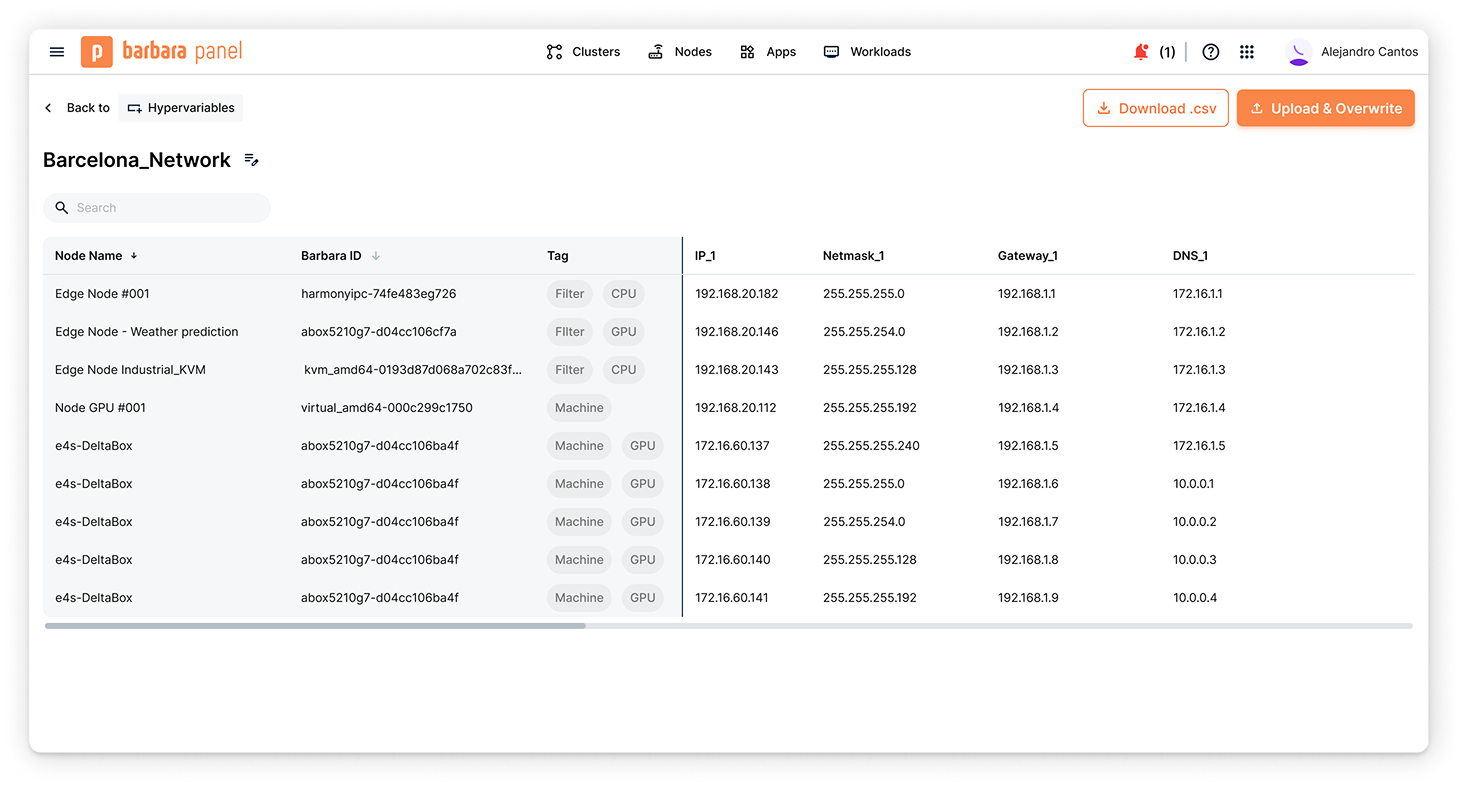
Configuring the same setting across a whole fleet is easy. Configuring a slightly different value on every single node is where things get tedious. A gateway address here, a hostname there, a secret that can't be shared between machines. Until now, that meant either hundreds of one-off commands or scripts you had to maintain yourself.
So we built Hypervariables.
Now you can define a set of hypervariables for a group of nodes, with a different value for each one, and Barbara delivers the right value to the right device when the batch runs. Building the set is simple: download a template, fill it in with your spreadsheet editor of choice — or your favourite chatbot — and upload it back.
And we didn't stop at network settings. Credentials, secrets and application configurations support hypervariables too, so a single batch can deliver a genuinely different configuration to every node it touches.
One operation. Hundreds of unique results.
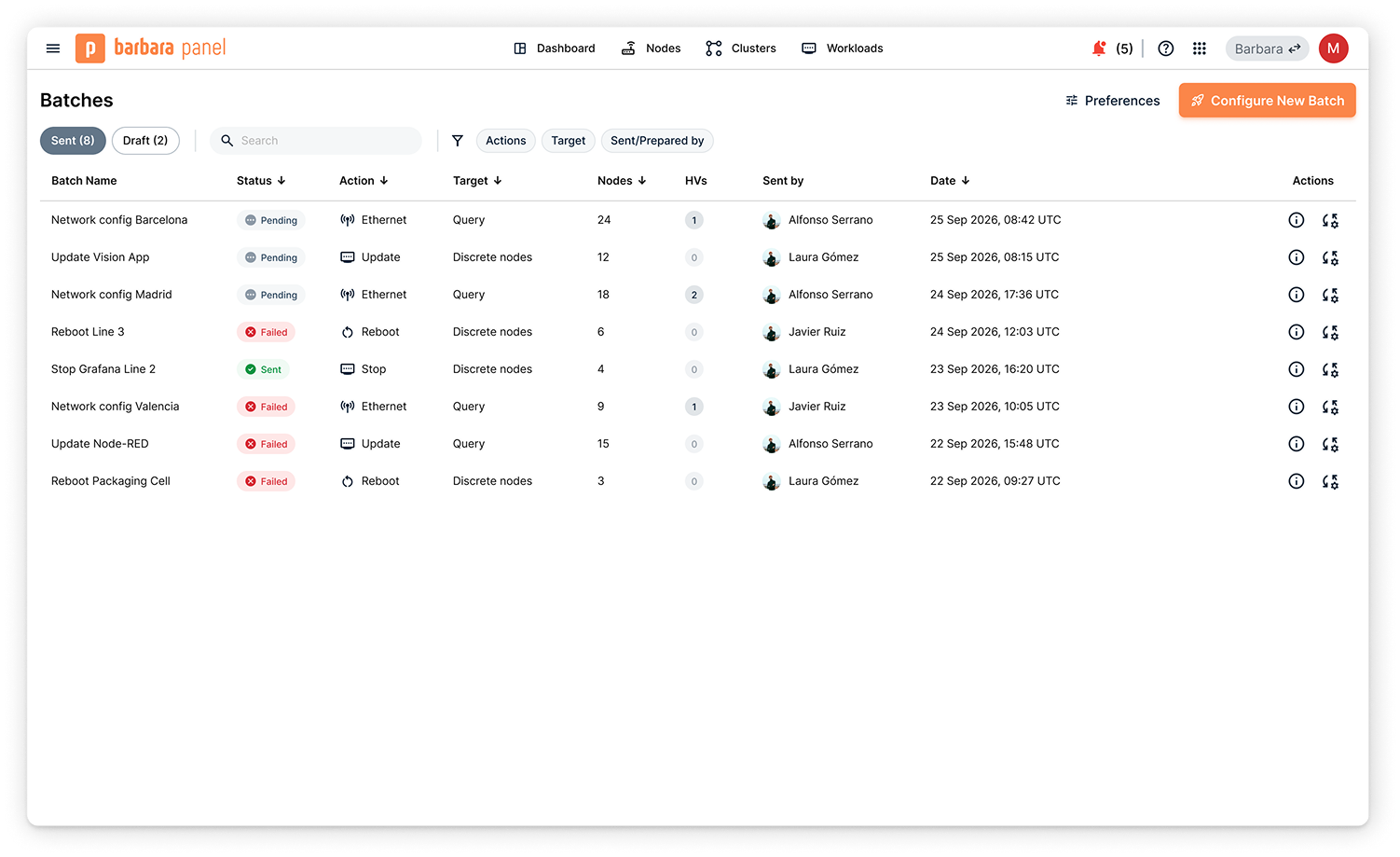
Until now, sending a batch was a bit of an act of faith. The command went out, but finding out what actually happened often meant checking nodes one by one.
So we closed that gap. Now every batch has a status, and you can open it to see exactly where each node stands: acknowledged, pending or failed. If something goes wrong, you can see why, and offline nodes update as they come back online.
We've also rebuilt the batch wizard and batch list around this new flow, surfacing errors where you can actually act on them. A readiness check before launch, for example, lets you identify and remove nodes that don't qualify.
And the command set has grown too. Activate, deactivate, reboot, delete, standalone and proxy operations can all run as batches now.
You've been asking for this one for a long time.
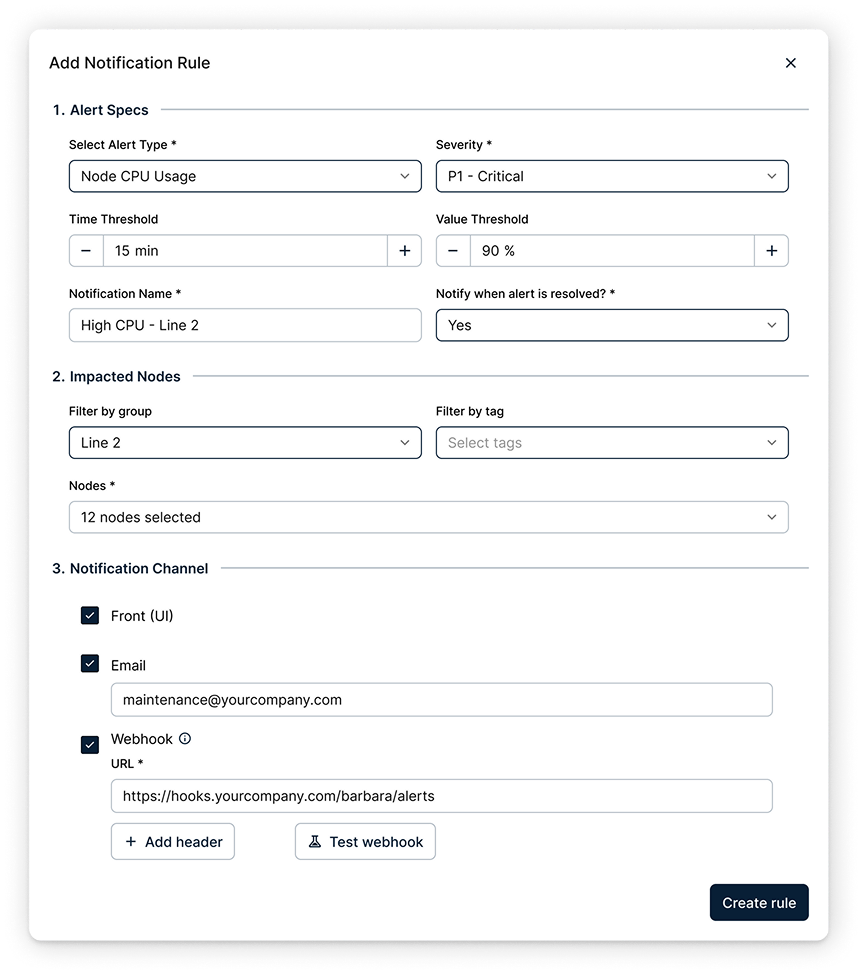
Alerts used to be something the platform decided on your behalf: a fixed catalogue, fixed channels, and an acknowledgment flow that didn't always match how your team works. Starting with this release, you define the rules.
Pick what you want to watch, on which nodes, the threshold, and how long the condition has to hold before an alert is triggered. Then decide where it should go: the interface, your inbox, or a webhook connected to Jira, PagerDuty, or whatever system your team already uses.
The catalogue has grown too, with CPU, memory, disk and GPU usage, as well as alerts for workloads that stop unexpectedly. And now, rules are personal. Two users looking at the same node can receive different alerts, because each person decides what deserves their attention.
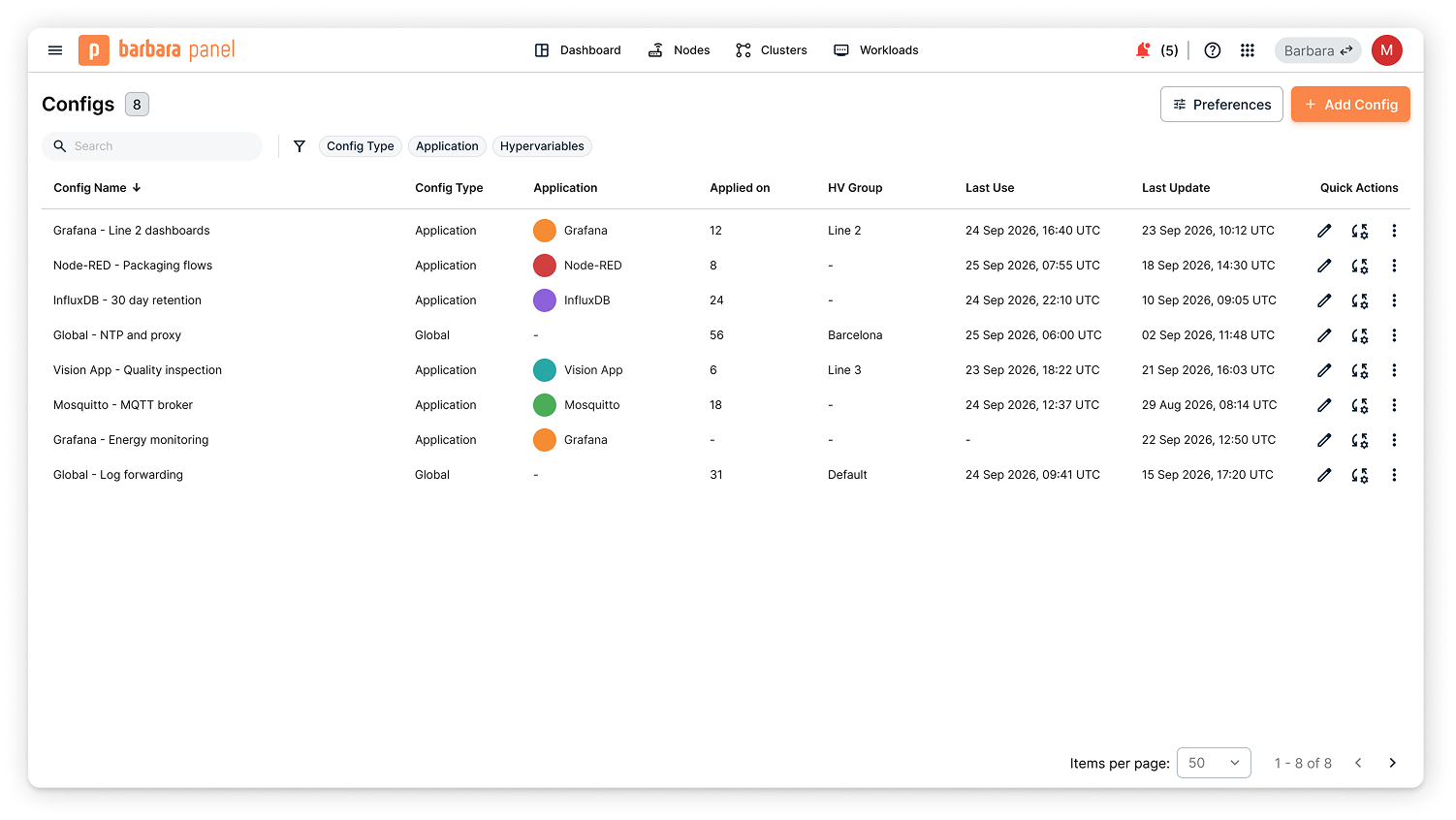
Configurations used to live inside a modal you could only reach from somewhere else. You'd open a workload, click Load, and there they were — often with long names and very little context about which one you should use.
Starting with this release, they have a home of their own.
The new Config Repository gives you a centralized view of every company configuration. Each one shows useful context: its type, the application it belongs to, how many nodes are using it, whether it contains hypervariables, and when it was last modified. From the same view, you can search, filter and sort, as well as edit, duplicate, download or delete configurations.
There are guardrails too. A configuration that's already in use can't simply be overwritten or deleted. Instead, you save a new version, helping preserve an accurate record of what's running where.
Some workloads don't just need speed. They need predictable response times.
Software PLCs, motion control and other latency-sensitive workloads need deterministic behavior. That's where a real-time kernel comes in. Compatible nodes can now switch between the standard and real-time kernels directly from Panel, either immediately or during a scheduled maintenance window.
Give your workloads the predictability they need.
Standalone now supports a fixed IP address and shows network information directly on the device. Clusters get better visibility too, including which workloads are running where and more storage details.
All timestamps are now shown in UTC, auto-onboarding is smoother, and empty states provide clearer guidance.
Plus the usual round of fixes and performance improvements across telemetry, cluster safety and security.
But enough reading. Go try it for yourself!
Barbara 3.4.0 is here. Configuration is more precise, batches are more transparent, alerts are more personal, and every config finally has a home. Let’s dive into the key highlights.
Barbara 3.3.0 is here! Updates are simpler, deployments are more flexible, network management is more autonomous, and security is stronger than ever. Let’s dive into the key highlights.
Barbara 3.2.0 is here full of brand new features to make your life easier. A new dashboard, a new map, alerts and notifications and much more. Let's explore what it brings!


